Social media comment automation uses AI to monitor, filter, and respond to comments across platforms with predefined rules and smart workflows. It cuts manual moderation time significantly while maintaining authentic engagement through selective automation and human oversight.
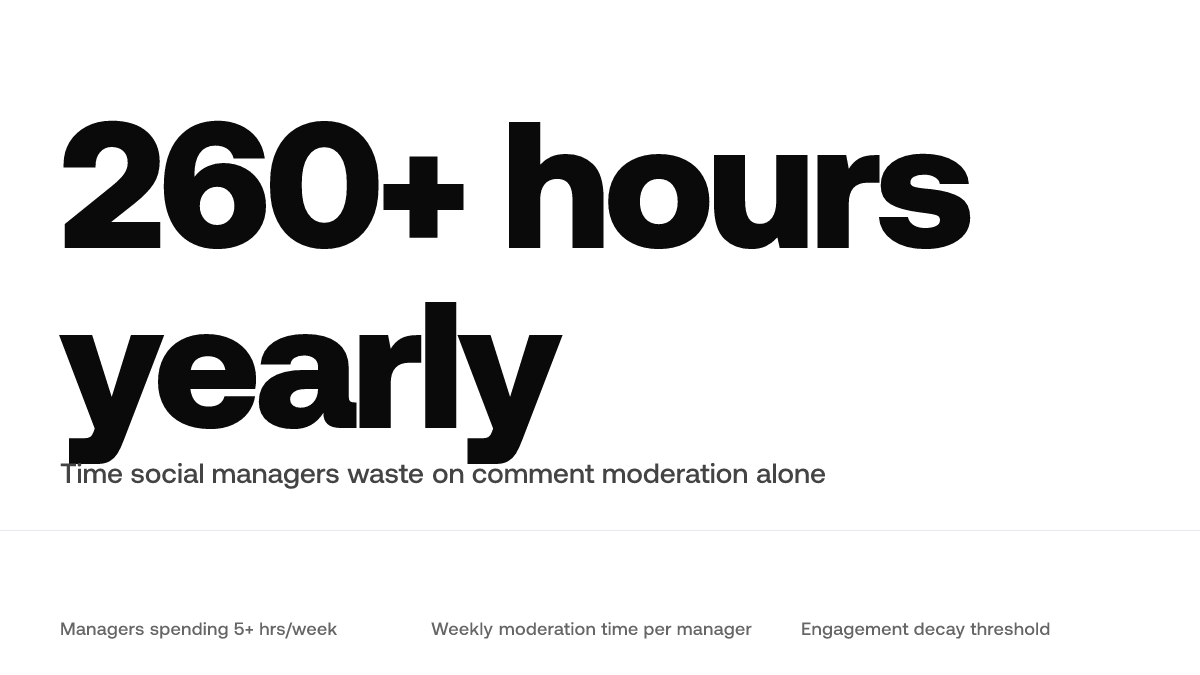
Yet 62% of social media managers report spending over 5 hours per week on comment moderation alone, time that could go toward strategy, content creation, or genuine community building.[2] That's 260+ hours yearly on one task. The bottleneck isn't capability. It's scale.
Here's how AI-powered automation reshapes the comment workflow from real-time filtering to strategic response rules that keep your brand voice intact.
TL;DR
- Social managers waste 260+ hours yearly on comment moderation alone
- AI filtering catches spam before it reaches your moderation queue
- Conditional reply templates reduce response time by handling routine inquiries automatically
- Unanswered comments older than 2 hours see significant engagement decay
Why Manual Comment Management Breaks Between 500 and 5,000 Followers
Manual responses work fine when your audience is small. But the moment you cross the 500-follower threshold, the math changes. You can't answer every comment anymore, and the ones you miss train your audience to stop commenting.
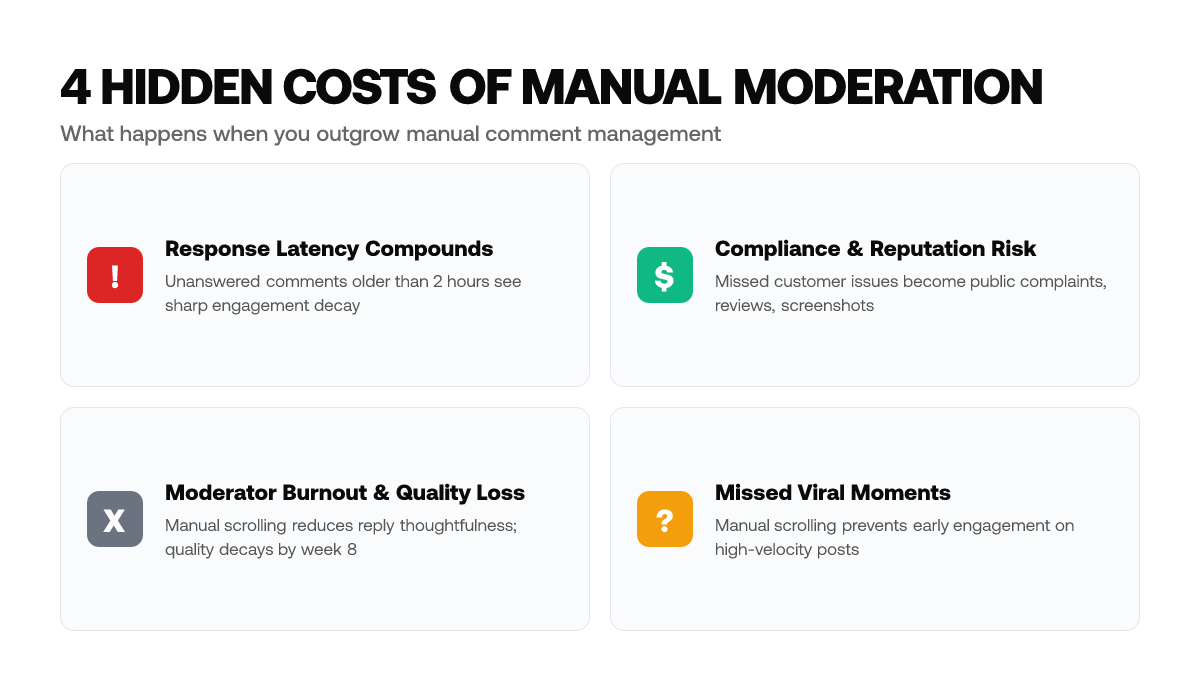
The real cost isn't just your time. It's response latency. When a comment sits unanswered for more than a few hours, engagement on that comment decays sharply.[1] People stop returning to check for a reply. They move to the next post. Your most engaged followers give up waiting.
Here's what happens between months 3 and 6: Your brand hits what looks like an engagement cliff. It feels like the algorithm changed. It didn't. Your moderation queue did.
Early on, you replied to comments within minutes because volume was manageable. By month four, you're juggling 20-50 comments per post across multiple platforms. You fall behind. Response times stretch to hours. Your audience learns the pattern: comments here don't get replies. So they stop leaving them.
This also creates a compliance liability. Once your community grows past 500 followers, unanswered questions pile up. If a customer asks about a product issue and you miss it, that comment becomes public frustration. Every unaddressed complaint is a potential review, screenshot, or thread.
Quick math: At 1,500 followers, you're handling 50–100 comments per post. At 5,000+ followers, daily queues compound until response times stretch into compliance liabilities.
Moderator burnout is real too. You're scrolling through comments, manually drafting replies, copy-pasting variations, hoping the tone feels authentic. By week eight, your replies get shorter and less thoughtful. Quality decays faster than volume grows.
Automation breaks this cycle. Tools that handle initial routing, flagging spam, sorting genuine questions from commentary, categorizing sentiment, mean your team only touches comments that actually need a human decision. Response queues don't pile up. Urgent customer issues get surfaced immediately instead of buried.
This also means you can engage on viral posts without manual scrolling. A system alerts you when a comment meets your criteria for brand-relevant engagement. You show up early, before the thread gets crowded, where engagement still compounds.
How AI Separates Spam, Sentiment, and Genuine Questions
AI comment classification works by analyzing language patterns, emotional tone, and intent, not just matching keywords. Modern natural language processing models distinguish between a frustrated customer, a sarcastic troll, a spam bot, and someone genuinely asking for help. The difference matters because each type needs a different response.
Here's the distinction: When a customer writes "Great product, but shipping took forever," that's negative sentiment wrapped in constructive criticism. A keyword detector sees "forever" and flags it as a complaint. A real sentiment model sees the context and routes it as a priority rather than spam.
Modern NLP models achieve 85–92% accuracy on sentiment detection.[3] That sounds high until you realize what happens with the 8–15% misclassified. A false positive on negative sentiment means your brand auto-replies warmly to a genuinely upset customer. That kills trust faster than a slow manual response ever would.
The actual failure mode isn't auto-deleting the wrong comment. It's auto-replying to sarcasm with a serious response. Someone writes "Oh, wonderful, another price increase" and the bot responds: "Thanks so much for your excitement about our new pricing!" Intent matters more than keywords.
Sentiment detection sorts incoming comments into buckets: appreciation (warm replies), frustration (empathetic, action-focused), confusion (detailed, resourceful), and spam (no reply). Question versus commentary sorting catches the difference between "Do you ship to Canada?" and "I love that you ship to Canada." The first needs product information. The second needs a thank you.
Spam confidence scoring flags obvious noise, repeated generic comments, bot patterns, promotional spam from new accounts, without nuking legitimate engagement. The system learns what spam looks like on your specific channel and adjusts.
This routing also prevents queue collapse. Instead of losing genuine customer questions in a sea of emojis, you see signal first. That's how you respond early on viral posts without scrolling for an hour to find the one comment worth answering.
Building Reply Workflows That Feel Human, Not Robotic
The brands winning with comment automation aren't writing shorter replies. They're using smarter branching logic that reserves human attention for high-value or sensitive comments while making automation-handled responses genuinely useful. Generic "Thanks for commenting!" templates destroy brand voice. Conditional response templates adapt tone and depth based on comment type.
Start by sorting incoming comments into four buckets: appreciation, product questions, concerns, and noise. Each bucket gets its own template framework with built-in variation.
Appreciation Replies: Short and Warm
A compliment doesn't need a paragraph. Your template might read: "Thanks for the kind words, means a lot. [Tag product/campaign if relevant]" or "Love this energy. You made our day." Vary the opening and closing so 50 similar comments don't feel like a wall of copy-paste. The tone here is casual, fast, and genuine.
Product Questions: Detailed and Resourceful
Someone asking "Does this come in blue?" or "How long does shipping take?" wants information. Automation should detect question markers and trigger longer, resource-rich templates. Link to FAQs, product pages, or relevant docs. Include specifics: "Blue is available on our website [link]. Shipping typically arrives within 5–7 business days." Identify your top five recurring inquiries and build templates around them.
Complaints and Concerns: Empathetic and Action-Oriented
A frustrated customer isn't looking for a template. This is where branching logic reserves human replies. However, your template should acknowledge the problem, express empathy, and provide next steps: "Sorry you had that experience. We want to make it right. Please DM us your order number so we can investigate." This signals responsiveness without pretending an AI is solving the problem.
Here's the thing: Conditional branching lets you automate routine comments while keeping humans in the loop for replies that shape trust or require judgment.
Build your templates by auditing your past 100 comments. What questions repeat? What tone do customers respond to? Which replies sparked follow-up engagement? Your templates should reflect actual conversation patterns in your community, not generic corporate language.
The counterintuitive insight: smarter automation doesn't mean fewer words. It means fewer wasted words and more relevant ones. A detailed, helpful automation reply that solves a question in one exchange beats a short non-answer that triggers five follow-ups and burns your team's energy on back-and-forth doomscrolling you never planned for.
Platform-Specific Routing: Why One Strategy Doesn't Work Everywhere
YouTube comments sit permanently and seed long-form discussions, so routing quality questions to detailed responses pays off; low-effort comments can wait.[5] TikTok comments move fast and disappear quickly, so speed matters more than comprehensiveness. Instagram falls in between: Stories comments vanish, but post comments build social proof, so response speed and tone consistency matter most.
If you run the same workflow across platforms, you'll over-invest in some and under-invest in others. Configure routing and tone separately per channel rather than one-size-fits-all.
The Compliance Risk of Silent Comment Queues
Unaddressed complaints create documented public records of inaction, which regulators and customers both use to assess brand responsiveness.[6] If a customer posts a billing dispute or product safety concern and you don't respond within hours, that comment becomes evidence in disputes, reviews, and FTC inquiries.
AI automation with human oversight solves this by ensuring every complaint gets classified, routed, and logged with response timestamps, even if the reply is "We've escalated this to our support team and will follow up within 24 hours." The automation doesn't replace human judgment. It ensures nothing slips through untracked.
About Sociable AI: Sociable AI generates contextually relevant comment responses by analyzing your brand voice and existing engagement patterns to maintain authentic interactions across platforms.
Frequently Asked Questions
Why do comments older than 2 hours see significant engagement decay?
Social media algorithms deprioritize older comments in thread ranking, and followers scroll past unaddressed threads. Comments answered quickly sit higher in replies and get more visibility from users browsing the post. Beyond 2 hours, the algorithm assumes low momentum and buries the thread.
At what follower count does manual comment management actually break?
Most teams report unsustainable response queues between 500–5,000 followers. At 500 followers, you're handling roughly 15–30 comments per post. By 1,500 followers, that jumps to 50–100 comments, and moderators start skipping threads. At 5,000+ followers, queues compound daily, and you're either hiring full-time community staff or letting comments age into compliance liabilities.
Can AI misclassifying negative sentiment damage trust more than slow responses?
Yes. In most cases, automated responses to negative sentiment require human review before posting. If AI flags a frustrated customer as a troll and sends a dismissive reply, that customer becomes a vocal critic publicly. The 8–15% error rate in NLP accuracy compounds across hundreds of comments monthly. Your system should flag low-confidence negative sentiment and route it to human review, not fire automated responses at every negative comment.
How do I prevent reply templates from sounding generic?
Build conditional templates that branch on comment type and extract specific context. Instead of one template, create three templates around appreciation, product questions, and complaints. Each should have variable insertion points pulling from the comment itself, product name, user's stated problem, sentiment tone. This feels personalized without requiring human composition for every reply.
Does AI comment automation work the same across all platforms?
No. Comment velocity and context vary widely by platform. YouTube comments seed long-form discussions, so detailed responses pay off. TikTok comments move fast, so speed matters more than comprehensiveness. Instagram falls in between. Configure routing and tone separately per channel rather than using one workflow everywhere.
What's the compliance risk if I don't address negative comments with timestamps?
Unaddressed complaints create public records of inaction that regulators and customers use to assess brand responsiveness. If a customer posts a billing dispute and you don't respond quickly, that comment becomes evidence in disputes and FTC inquiries. AI automation ensures every complaint gets classified, routed, and logged with response timestamps, even if the reply is simply acknowledging escalation.
Sources
- HubSpot, State of Marketing 2026, Social media response time benchmarks and engagement decay timelines for comment threads
- Sprout Social, 2026 Social Media Statistics and Trends, Comment volume scaling and moderator burnout metrics at follower thresholds
- McKinsey, The State of AI in 2026, Natural language processing accuracy benchmarks and sentiment detection error rates
- Gartner, AI for Community Management Solutions 2026, Sentiment classification accuracy ranges and false positive impact on brand trust
- Social Media Examiner, 2026 Industry Report, Platform-specific comment velocity and response time windows by channel
- Federal Trade Commission, Social Media Compliance Guidelines 2025, Documentation and response timing requirements for consumer complaints and disputes